How to Get GPS Coordinates on Google Maps
1 Open Google Maps and Search for an Address
Open in Browser Google Maps , enter your birthplace or target location (e.g., Tokyo Tower) in the search bar.
2 Right-click on the Target Location
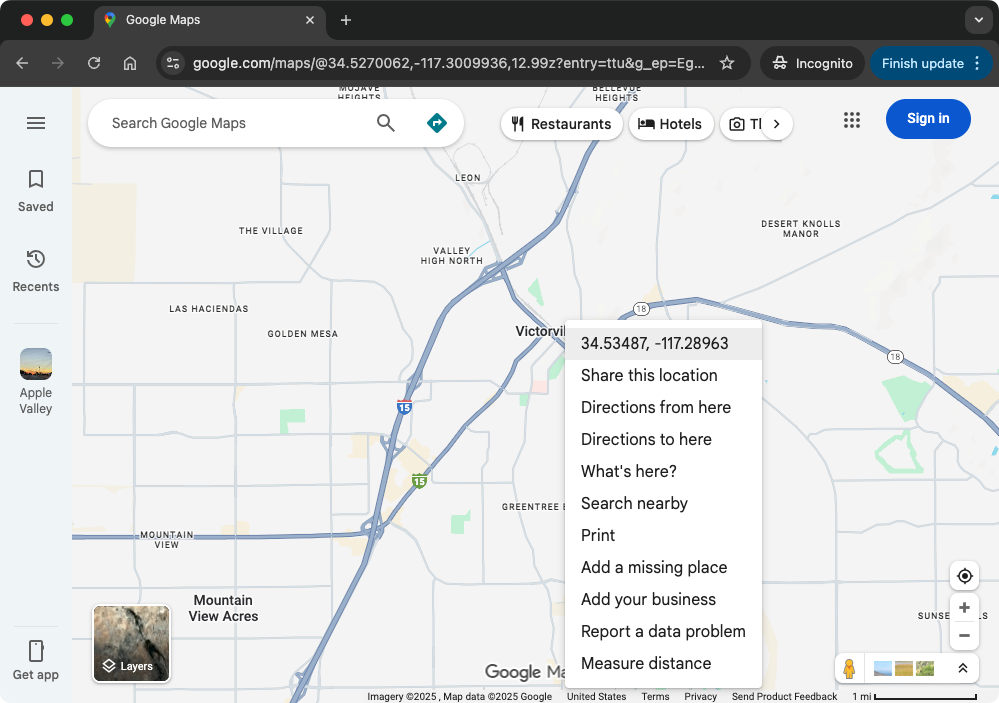
Locate the exact building or spot on the map and right-click. A context menu will pop up.
3 Copy Latitude and Longitude Coordinates
In the right-click menu that appears, the first item will be the GPS coordinates for that location (e.g., 34.5349, -117.2896).
Simply click on these numbers, and they will be automatically copied to your clipboard.
4 Return to Chart Page and Paste
Go back to the ZenRoot birth chart creation page, click the 'Paste Coordinates' button next to the input field, and the system will automatically recognize and fill in the latitude and longitude.